How I Customised Pure Blog for This Site
| 10 min read
A few people have reached out to me to ask how I did X, or Y with my site, so I thought I'd talk about the customisations I've made to this site, and how they work.
Firstly, this site runs on Pure Blog, a CMS that I've been building over the last year or so. As it's matured, I've added features that allow more advanced users to do clever things without having to fiddle with the core platform. This means that people generally shouldn't have to fork the project and should continue to get all the new goodness as I release it.
This site is no different. I haven't done anything clever that Pure Blog can't do out of the box - everything is documented so by reading the docs and using a bit of creativity, you can do quite a lot with this plucky little CMS. I'll link out to the appropriate docs as we go through this post.
Ok, so what customisations have I made? This is going to be a fairly long post, so I'll list them here with links to each header so you can jump around and read the parts that interest you.
- Post layouts
- Hooks and automations
- Templates and partials
- RSS feed enhancements
- Newsletter subscriptions
- Functions and helpers
- Design and typography
- Data driven pages
- .htaccess rules
- Final thoughts
If you want to see specific code examples for any of these customisations, feel free to contact me.
Post layouts
I have three custom post types on this site - notes, links, and books. Notes are used as short-form social media type posts, links are links to other blog posts that I've enjoyed, and books are short reviews of the books I read.
Each has their own layout and in the case of notes, they have a different view on the homepage too. To do this I've created a custom post-list.php partial, but we will come to that later.
I could just use the default post type for all these posts, but I prefer to have a customised UI at the back-end for each. Here's what books and links look like in my editor:
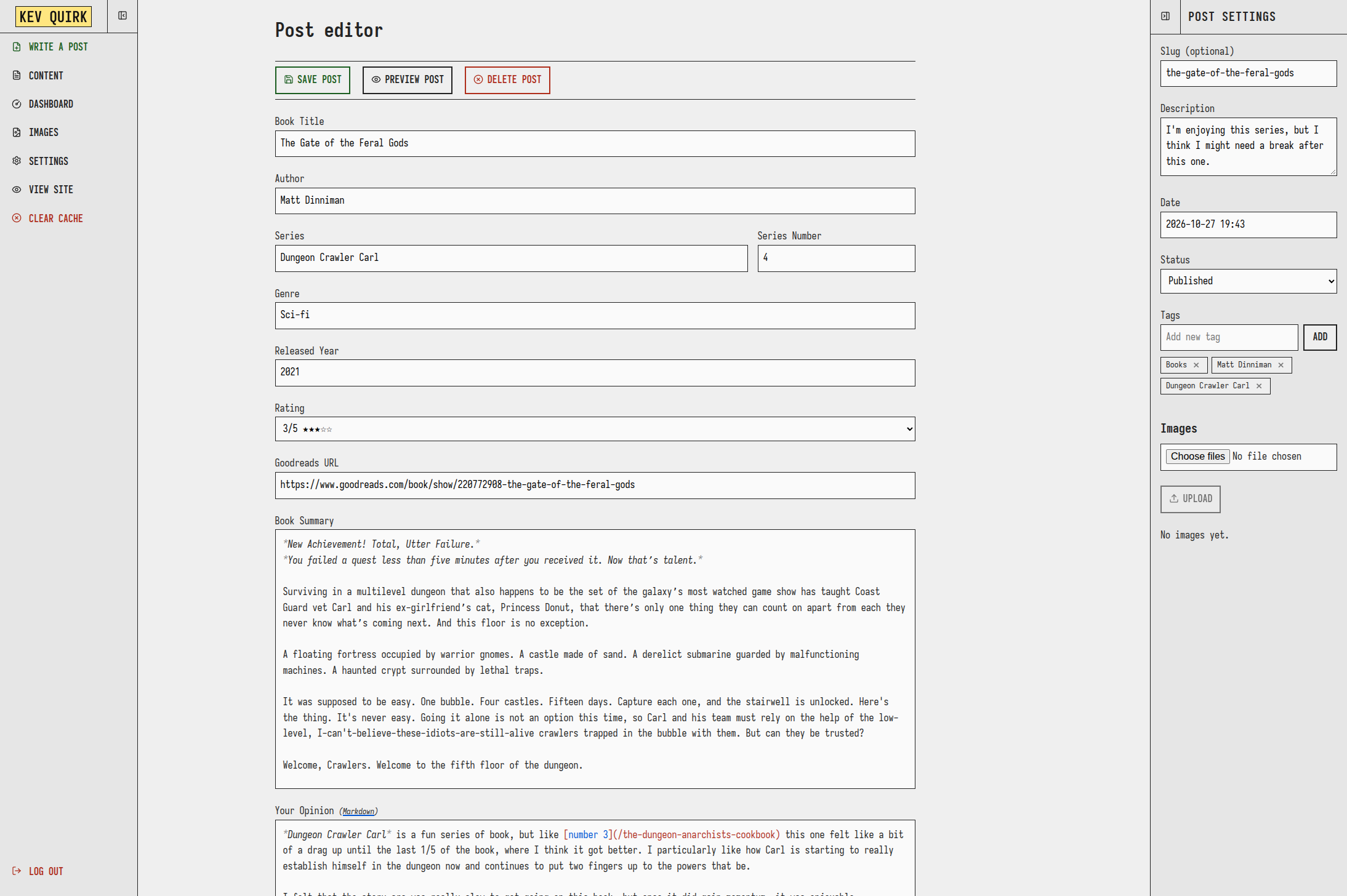
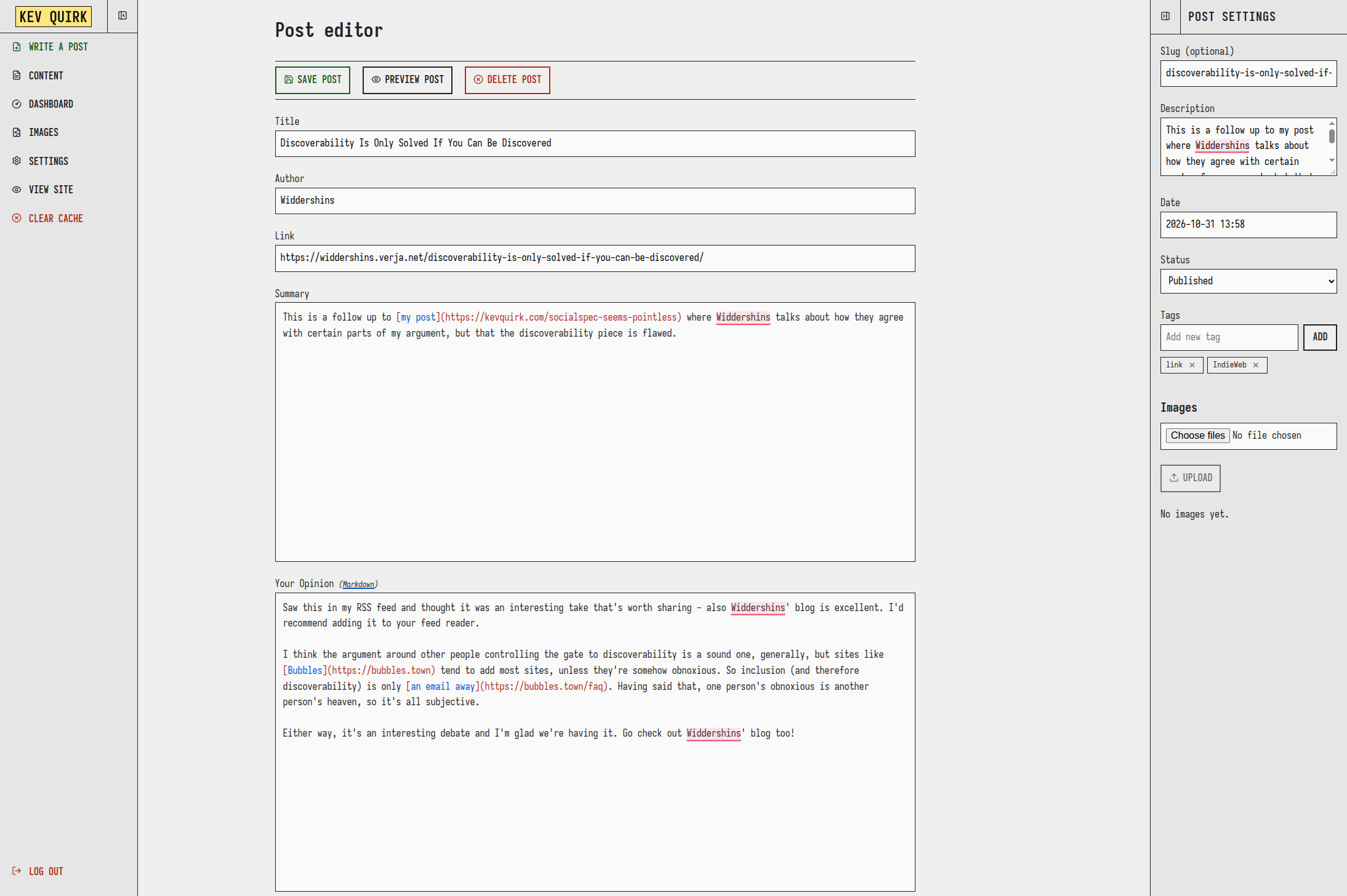
Notes are a little different as I use a custom page for them that only I can access. This looks more like a social media post window than a blog post window:
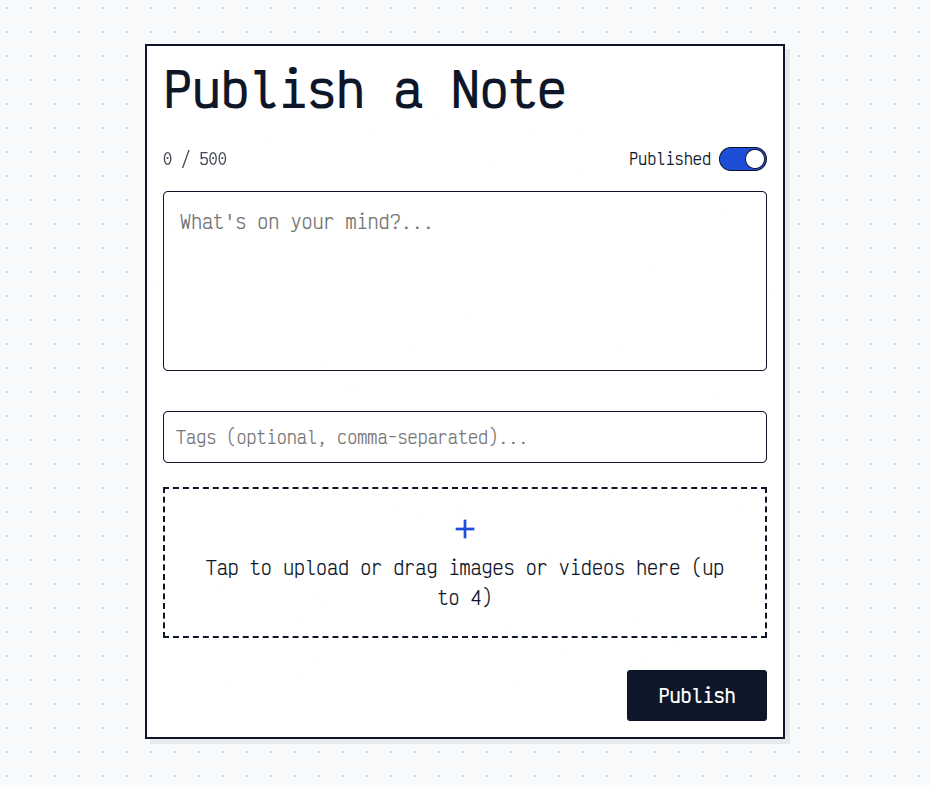
Read the custom post layout docs ➡
Hooks and automations
I like to think of hooks as little tripwires that are set to go off when certain conditions are met. For example, something happens when an image is uploaded, or a new post is published. They're extremely useful and I have a number of them on this site:
- Email Obfuscation (
on_filter_content): Scans rendered content and encodes the site email address into hexadecimal HTML entities to protect against scrapers. This has been pretty effective at reducing spam - I wrote more about this feature in this post. - Post Sanitisation & Metadata Preservation (
on_filter_post):- Automatically generates date/time titles for new notes.
- Normalises layout values by stripping quotes (turning layout: "notes" into layout: notes), ensuring posts written in external editors like Obsidian don't break layout checks.
- Preserves
mastodon_urlin post frontmatter when saving via the admin interface so the Mastodon card at the bottom of every post continues to work.
- Image Optimisation (
on_image_uploaded): Automatically resizes images exceeding 2560px width whilst maintaining aspect ratio, also converts them to lossless WebP, and cleans up original unoptimised files. - Mastodon Cross-Posting & Syndication (
on_post_published): Automatically crossposts all published post types to Fosstodon via the Mastodon API.- Notes posts are cross-posted with full body text and media attachments (uploaded to Mastodon's media endpoint).
- Articles, links, and books are crossposted with their description and permalink URL.
- Captures the returned Mastodon status URL and automatically persists
mastodon_urlinto the post's frontmatter which is then used for the Mastodon card at the bottom of every post.
- Custom Font for Open Graph Images (
on_og_image_font): Makes dynamic Open Graph image generation to use my custom font.
Templates and partials
Beyond custom post types, Pure Blog lets you drop PHP files into content/includes/. These can either override default pieces of the site (like navigation or post footers), or serve as entirely bespoke standalone pages, like my quick-publish notes screen, or the terminal 404 page.
Here's a full list of the templates and partials used on this site:
post-list.php(partial): This replaces the defaultpost-list.phpand adds post-type filter buttons, preserving query parameters across pagination. It also displays notes in full, while other post types show only the title and excerpt.post-meta.php(partial): A customised version of the defaultpost-meta.phpfile from Pure Blog. On top of the default tag list and post pagination, this version adds the obfuscated "Reply by email" button, a client-side Mastodon conversation card displaying live stats (favourites, boosts, replies) as well as a link to the post on Fosstodon, Pure Comments integration, and a subscription call-to-action.discover.php(template): Dedicated discovery hub combining Pure Blog's full-text search with an alphabetical, weighted tag cloud showing post frequencies.sitemap.php(template): An interactive metro map that lists all of the pages on this site. There's also an option to see the pages as a list.social.php(template): My quick-publish admin screen for composing and publishing short-form note posts.100.php(template): Dashboard for tracking the 100 Days to Offload challenge streaks in batches of 100 posts.masthead.php(partial): This replaces the defaultmastheadtemplate in Pure Blog. It adds a custom layout, as well as 404 handoff ($is404) to render the custom404.phptemplate without modifying core Pure Blog files.404.php(template): A fun interactive terminal-styled 404 page with custom commands that include goats!random-post.php(template): Endpoint that resolves and redirects visitors to a randomly chosen published post.
Read the layout partials docs ➡
RSS feed enhancements
I've replaced the default feed with one that allows for filtering on post type. So one feed file, 5 feeds - one for each post type, and a fifth for everything.
My custom feed template allows you to visit /feed/ for everything, or /feed/[post-type] (e.g. /feed/books) for the posts of that particular type. This custom feed file lives in /content and I then used .htaccess redirects to redirect the default /feed URL to /content/feed.php.
All the feed URLs are available here.
Newsletter subscriptions
I use a self-hosted instance of Sendy to send out email "newsletters" whenever I publish a new post. These emails always contain the entire post, so people can read my content from their inbox if they wish.
Because I write notes much more frequently than long-form posts, I let readers choose what they receive: everything, long-form content only, or notes only.
To make that work without sending people through clunky third-party forms, I wrote a custom server-side handler (content/subscribe-handler.php). When someone submits the form on the subscribe page, the handler:
- Checks a simple verification question ("What is Kev's surname?") to keep bots at bay.
- Silently discards submissions that trigger a honeypot field, or exceed IP rate limits.
- Subscribes the user to the correct Sendy list(s) via Sendy's API in a single click.
This not only helps segregate the emails people receive, but it has also had a dramatic effect on spammy sign ups. Which, if you've ever run a newsletter, you will know is a common problem.
Functions and helpers
Pure Blog allows you to add your own PHP helper functions for all kinds of things. On my site, I only have 1 function defined:
render_star_rating(string $rating) which transforms fractional score strings in my book posts (e.g. "4/5") into accessible star glyph strings (e.g. "★★★★☆"). I just think that "★★★★☆" looks far nicer in a post than "4/5".
But how is this star rating accessible? Well, it's rendered on the front-end like this so screen readers can parse it:
<span class="star-rating">
    <span class="star-rating" aria-label="4/5 ★★★★☆">★★★☆☆</span>
</span>
Read the custom functions docs ➡
Design and typography
I don't do anything magical with the design on this site. I use the Victor Mono font, and around 850 lines of CSS, which I've added to the custom CSS field within settings. Combined with the custom masthead, post-list and post-meta files above, it gives me everything I need to customise the site from the default look to what you see now.
I have a custom theme palette that I've defined too, also in settings. The colours used can be found at the bottom of my colophon.
Read the design customisation docs ➡
Data driven pages
One of the most powerful things about using a static site generator is the ability to use data files. With data files you can have a structure data file, like YAML, that contains repeated data, which can then be looped through on the front-end to render content.
I really wanted Pure Blog to be able to support data files, so I added support very early on. Personally, I use two data files on this site:
data/blogroll.ymlwhich is then used to render my blogroll page.data/projects.ymlwhich is used for my projects.
Data files are fantastic as they reduce the amount of repetitive code you have to write. Instead of typing div, after div, after div manually, you write your div once, then loop through it with a data file and Pure Blog does the rest.
.htaccess rules
The final thing I customise is my .htaccess file. There's a number of things I do to the standard Pure Blog .htaccess file to either redirect URLs, or protect various locations:
- Admin Access Restriction: I restricts
/admin/access to specific allowed IP addresses. - Legacy URL & Feed Redirects:
- 301 redirects mapping historical
/blog/*and/categories/*URLs to clean root and/tag/*routes that Pure Blog uses. - Redirects for legacy feed and social endpoints (
/feed.xml,/social-feed,/social-feed.xml,/rss,/blog.rss, etc.) to/feedor/feed/notesto make sure the feed URLs from various versions of this site don't break.
- 301 redirects mapping historical
- Route Rewrites: clean URL routing for all my RSS feeds so they have simple to share URLs.
Final thoughts
This ended up being an even longer post than I anticipated, but hopefully it shows just how much you can bend Pure Blog to your will, by design.
None of this requires hacks to the core code, or maintaining your own fork. Everything you see here is achieved using Pure Blog as designed: settings, custom CSS, hooks, custom layouts, and partials. Because all these files live inside /content, /config, and /data, I can upgrade Pure Blog the moment a new release drops without worrying about overwriting my site's bespoke features.
That was always my goal with Pure Blog - a super simple, distraction-free blogging platform out of the box, with enough flexibility under the hood for tinkerers (like me!) to build whatever they want.
If you're running Pure Blog and have built your own customisations, or if this post inspired you to try something new with your setup, hit the reply button below, or find me on Mastodon. I'd love to see what you've done with it.
Subscribe for more!
You don't have to keep coming back here to read my latest waffle. There's a couple of ways to subscribe to receive updates whenever I publish new content.